
What is an MCP server? Ecommerce tools and examples
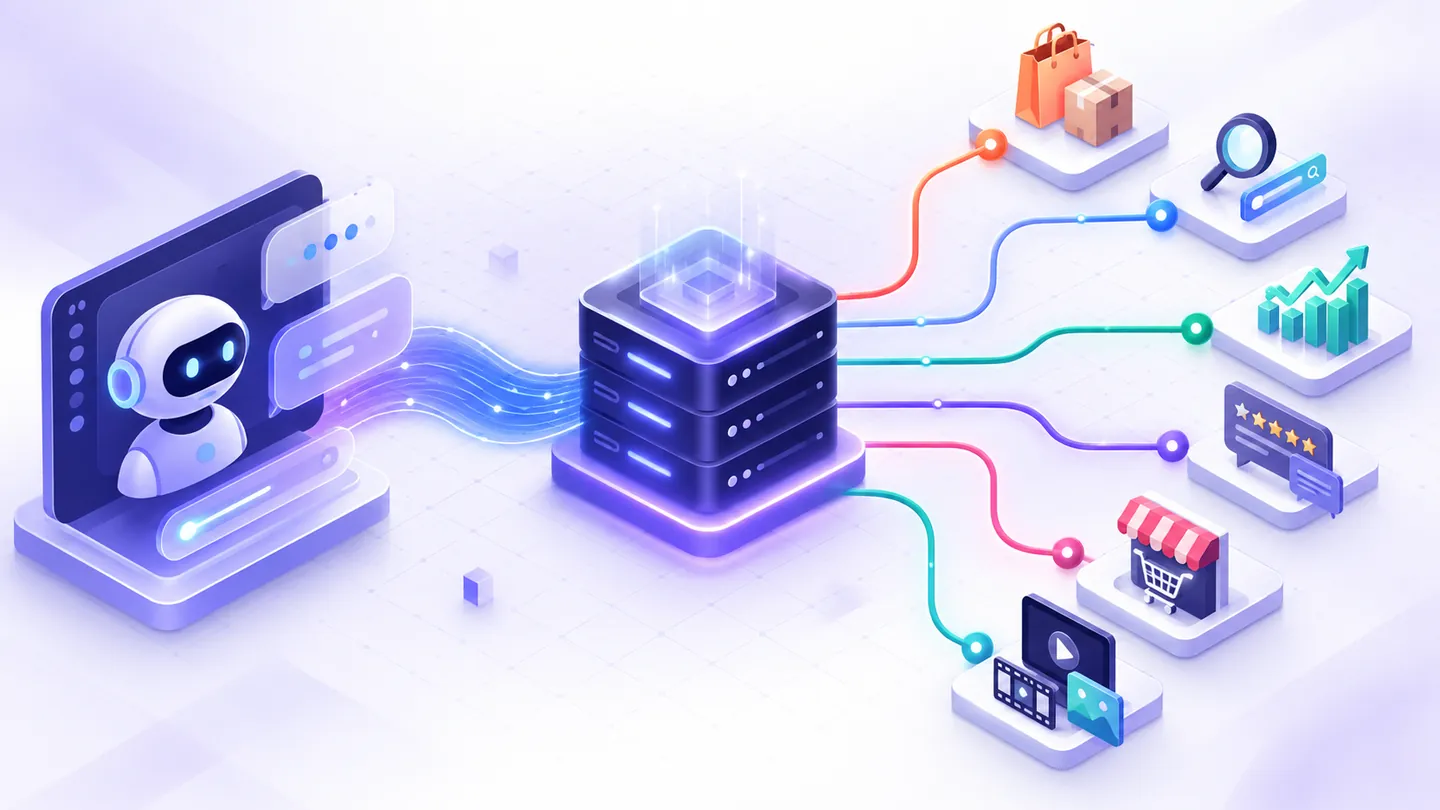
By Nexscope Team · Published September 17, 2026 · Updated September 17, 2026
An MCP server is a service that exposes tools, resources, prompts, or other supported capabilities to an AI application through the Model Context Protocol. Instead of teaching every agent a custom integration, a server publishes structured capabilities that a compatible host can discover and use under the host’s authorization and safety controls.
Key takeaways: MCP is a protocol, not an AI model or a database. The host runs the user experience, a client connects to an MCP server, and the server exposes focused capabilities. For ecommerce work, those capabilities can retrieve product, keyword, price, review, marketplace, or creative data. Credentials, permissions, validation, and human approval still matter.
How does an MCP server work?
The official Model Context Protocol specification defines MCP as an open protocol for connecting AI applications with external data sources and tools. Its core model separates the AI host from the service providing capabilities.
| Component | Responsibility | Ecommerce example |
|---|---|---|
| Host | Runs the AI experience and applies user, security, and consent controls | An agent application used by a seller or analyst |
| Client | Connects the host to one MCP server and sends supported requests | The connector configured inside the agent application |
| Server | Publishes focused tools and other supported capabilities | A Nexscope service exposing marketplace research tools |
| Tool | Performs one documented retrieval or operation | Retrieve Amazon price history for an ASIN |
| Resource or prompt | Supplies context or a reusable workflow when supported | API documentation, schemas, or a research template |
The current specification uses JSON-RPC messages and a stateless, self-contained request model. MCP implementations evolve, so integration code should follow the version supported by both the client and server instead of copying an old transport example.
What is the difference between MCP, an API, and an AI agent?
An API exposes programmatic operations, MCP standardizes how an AI application discovers and calls supported capabilities, and an agent decides how to use those capabilities toward a goal. They solve different layers of the integration.
| Layer | Main question | Typical responsibility |
|---|---|---|
| REST API | How does my application call this endpoint? | Authentication, request parameters, responses, errors |
| MCP server | How can a compatible AI host discover and use this capability? | Tool definitions, schemas, protocol messages, capability exposure |
| AI agent | Which capability should be used, in what order, and how should the result be explained? | Planning, tool selection, interpretation, user interaction |
MCP does not make an unreliable endpoint reliable, fix missing marketplace coverage, or guarantee that an agent selects the correct tool. Tool descriptions, schemas, errors, evidence, and safe orchestration remain necessary.
What can an ecommerce MCP server do?
An ecommerce MCP server can expose narrow tools that let an AI workflow retrieve evidence before producing an answer. For example:
- search Amazon products for a marketplace query;
- inspect keywords associated with a competitor ASIN;
- retrieve Amazon price and BSR history;
- collect product reviews for a defined ASIN and filter;
- research Shopify, TikTok Shop, Temu, Walmart, eBay, Etsy, or 1688 data when the active catalog supports the requested capability;
- inspect keyword, SERP, webpage, backlink, or AI-search evidence;
- start and monitor supported creative-generation jobs.
The active capability catalog is the source of truth. Start with the Nexscope MCP tool map and confirm the current schema, market coverage, credits, and access requirements in the API documentation.
An MCP server example for ecommerce research
Suppose a product researcher asks:
Compare the price and demand direction of three competing Amazon products, then explain which changes need further investigation.
A safe agent workflow would be:
- Confirm the Amazon marketplace and the three ASINs.
- Discover the documented Amazon price-series tool and validate its required inputs.
- Request each product once and preserve the returned timestamps, units, and missing values.
- Compare price, BSR, seller count, rating, and sales estimates on aligned periods.
- Separate collected facts, provider estimates, unknowns, and AI interpretations.
- Return a comparison with source identifiers and limitations instead of presenting a prediction as certainty.
The Amazon price-history guide shows how to interpret these product-level signals. For a wider integration pattern, use the ecommerce API for AI agents guide.
How do you connect Nexscope as an MCP server?
Use the setup instructions published for the client you are configuring. A typical process is:
- Sign in to Nexscope and review current API/MCP access requirements.
- Open the MCP tool map.
- Choose only the tools required for the workflow.
- Follow the client-specific connection instructions and keep credentials out of prompts, screenshots, repositories, and browser code.
- Run a small read-only test with non-sensitive inputs.
- Verify the returned marketplace, timestamps, source fields, and error behavior before automating a larger workflow.
Do not assume that instructions for one client, protocol version, or transport apply unchanged to another. The live Nexscope documentation and the selected client’s documentation should agree before deployment.
Is an MCP server safe?
MCP can expose data access and executable tools, so safety depends on the server, the host, authorization, tool scope, and the user’s review controls. The official specification emphasizes consent, data privacy, access control, and understanding a tool before authorizing its use.
Use these controls:
- Minimum scope: expose only the tools and marketplaces required for the task.
- Server-side credentials: never embed API keys in a public frontend or an agent prompt.
- Input validation: validate ASINs, marketplace codes, pagination, date ranges, and supported media constraints.
- Read before write: test retrieval tools before enabling any state-changing capability.
- Explicit approval: require a human decision before publishing content, changing prices, modifying campaigns, or spending money.
- Traceable output: retain request identifiers, timestamps, sources, and documented estimates.
- Safe logs: redact tokens, private account data, customer data, and uploaded assets.
- Version awareness: follow the latest supported MCP specification and migration guidance rather than assuming older session or transport behavior.
How should an ecommerce team evaluate an MCP server?
Ask practical questions before connecting it to production work:
| Evaluation area | Questions to ask |
|---|---|
| Capability fit | Does it expose the exact marketplace and evidence needed? |
| Schema quality | Are required fields, enums, errors, and missing values documented? |
| Authentication | Where are credentials stored, and how are they revoked or rotated? |
| Permissions | Can tools be limited by user, tenant, marketplace, and action type? |
| Reliability | How are timeouts, retries, rate limits, and asynchronous jobs handled? |
| Evidence | Can a user trace a conclusion back to returned fields and timestamps? |
| Cost | Are credits or per-call costs visible before a large workflow runs? |
| Safety | Which actions require confirmation, and which tools are read-only? |
The best MCP server for a team is not necessarily the one with the most tools. It is the one whose supported capabilities, schemas, permissions, and costs match the team’s actual workflow.
MCP server FAQ
What does MCP stand for?
MCP stands for Model Context Protocol. It is an open protocol for connecting AI applications to external data sources and tools.
Is an MCP server the same as an API server?
Not exactly. An MCP server can wrap or call APIs, but it presents supported capabilities through MCP conventions so compatible AI hosts can discover and invoke them. The underlying service may still use REST APIs internally.
Does an MCP server contain the AI model?
Usually no. The AI model is used by the host or agent application. The MCP server supplies capabilities and data; it is not automatically the model, agent, or user interface.
What are MCP tools?
MCP tools are structured functions exposed by a server. Each tool should have a clear name, description, input schema, output behavior, errors, and safety scope.
Can MCP connect an AI agent to ecommerce data?
Yes. When the server exposes supported ecommerce tools, an agent can use MCP to retrieve product, keyword, price, review, competitor, or creative-workflow data. Coverage depends on the active catalog and the user’s access.
Do I still need authentication?
Yes. MCP does not remove authentication, authorization, credit, privacy, or marketplace restrictions. Follow the current server and client instructions.
Explore Nexscope MCP tools
Start with a small, read-only research question and one documented capability. Explore the Nexscope MCP tool map, review the API capabilities guide, or open the ecommerce data for AI agents page.
Last reviewed: 2026-09-17 · Maintained by the official Nexscope team.
Put your next idea to work.
Find a practical workflow, compare the options, or explore the APIs behind it.